A gaming laptop is the most spec-confusing purchase in tech: the number on the box tells you far less than you would think. This guide explains what actually matters, in plain English, based on the six machines we benchmarked, so you can match a laptop to the way you play and avoid overpaying.
Last updated June 2026 · by Arjun Mehta, PC and gaming hardware tester
The GPU and its power limit (TGP) come first
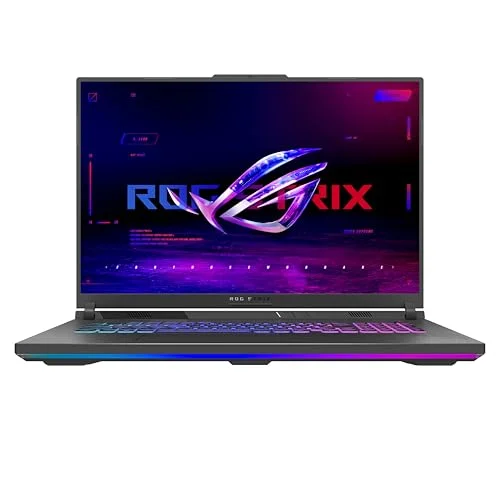
The graphics card decides your frame rate, so it is the single most important component, but the model number alone is not enough. NVIDIA's RTX 40-series laptop GPUs each ship across a wide range of power limits, known as the Total Graphics Power, or TGP, and the manufacturer chooses how much to feed the chip. The difference is huge: in our tests the 140 W RTX 4070 in the ASUS ROG Strix G16 averaged 118 fps, while the 90 W RTX 4060 in the HP Omen Transcend 14 managed 81 fps, and a well-fed 115 W RTX 4060 sat at 96 fps. NVIDIA itself states that laptop GPU performance scales with the power and thermal design the maker chooses, which is exactly what we measure. So always look for the TGP, usually quoted in the laptop's detailed specs, not just whether it is a 4050, 4060, 4070 or 4080.
As a rough 2026 guide: an RTX 4050 handles 1080p high at 60 to 80 fps and is the budget floor; an RTX 4060 is the sweet spot, driving a 1080p high-refresh panel at 80 to 100 fps; an RTX 4070 adds headroom for QHD and ray tracing at 110 to 120 fps; and an RTX 4080 is flagship territory for 4K, but it costs far more per extra frame. We compare the two most popular tiers in our RTX 4060 vs 4070 laptop guide.
Match the screen to the GPU
The display has two numbers that matter for gaming: resolution and refresh rate. The golden rule is to match the screen to what the GPU can drive. A 1080p panel (1920 x 1080 or 1920 x 1200) at 144 Hz or more is the sweet spot for an RTX 4050 or 4060, because those GPUs can push high frame rates at that resolution, keeping the fast panel fed. A QHD panel (2560 x 1600) is sharper and more immersive, but it needs at least an RTX 4070 to feel smooth; pair a high-resolution screen with a weak GPU and you will spend your time turning settings down to keep the frame rate playable. The refresh rate should comfortably exceed the frame rate you expect: a 144 Hz panel suits an RTX 4050, while a 240 Hz panel makes sense on the RTX 4070 machines that can actually reach those numbers.
For colour work as well as games, look for 100% DCI-P3 coverage and a brightness above 400 nits, both of which the OLED in the HP Omen Transcend 14 and the panels in the ASUS and Razer deliver. A dim panel under 300 nits, like the budget machines here, is fine indoors but struggles near a window.
Cooling and noise vary more than the marketing admits
Two laptops with the same GPU can perform very differently because of cooling. A machine with a strong cooling system can run its GPU at a higher TGP and sustain it for hours; a thin or cheaply cooled one throttles after a few minutes, posting a big opening number that quietly falls. This is why we run a sustained one-hour load and log the GPU and CPU temperatures, rather than reporting a thirty-second peak. Look for a vapour chamber, multiple heat pipes and generous rear exhausts; the Lenovo Legion Pro 5 and ASUS hold their GPUs at 72 to 75 C under load, where a poorly cooled laptop would hit its limit.
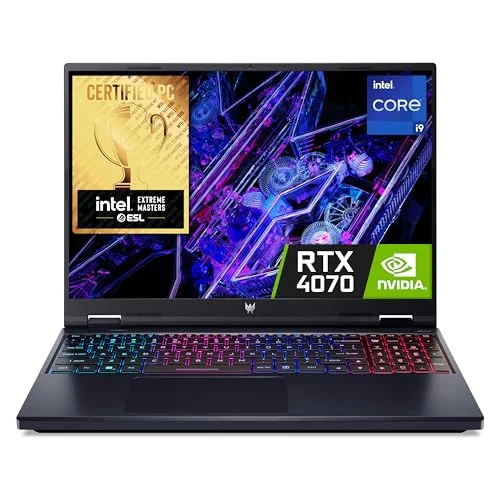
Noise is the other half of the story, and it is rarely advertised. We measure fan noise with a sound-level meter at ear height, and on test it ranged from a composed 44 dB(A) on the HP Omen to an intrusive 52 dB(A) on the Acer Predator, under the same load. A laptop you can hear over your game, or over a video call, is one you will come to resent, so do not ignore the noise figure. Most laptops offer a quieter balanced profile that trades a few frames for far less noise, which is how we run them day to day.
RAM and storage: the easy wins
For 2026, 16 GB of RAM and a 1 TB SSD are the sensible minimum. 16 GB is enough for almost every game today, though 32 GB future-proofs you and helps with streaming or content creation. Storage is where buyers most often under-spec: modern AAA games routinely run to 100 GB or more, so a 512 GB SSD like the one in the MSI Katana 15 fills after only five or six big titles. The smart move is to buy a laptop with a spare M.2 slot and ideally two SODIMM RAM slots, so you can add storage and memory cheaply later. The Lenovo, Acer and MSI here are all easy to open and upgrade; the HP Omen's soldered memory is the exception, and a reason to buy it with the RAM you want from the start.
Battery life and portability: be realistic
Here is the honest truth: no gaming laptop has good battery life when gaming. Every machine we tested ran for 4 to 5.5 hours of light use, but under a gaming load the discrete GPU drains the battery in well under two hours, and most also throttle performance off the mains. So judge battery life by light, mixed use, and treat the laptop as a plug-in machine for gaming. If you need genuine all-day portability, the 14-inch HP Omen Transcend 14 at 1.63 kg and 7 h 40 m is the only machine here that delivers it, by trading frames for efficiency. The 16-inch machines weigh around 2.5 kg and, with their heavy chargers, are really desktop replacements. Decide first whether the laptop will live on a desk or in a bag, then choose the size accordingly.
Once you have weighed up the GPU, the screen, the cooling, the memory and the portability, you will know which of our six tested machines fits you. For the budget end specifically, read our best gaming laptop under £1,000 guide, and to understand exactly how we reach our verdicts, see how we test.